








































































































































































































































Yanhua YH35XX Programmer for BMW 35128/ 35160 35128WT 35160WT Mileage Correction Service

Yanhua YH35XX Programmer for BMW Mileage Correction Service
Notice: There package does not include emulator, Please buy Simulator for Yanhua YH35XX to work together.
Features:
Independent programmer with software;
Software can be run directly when the programmer is connected to PC;
Simulator replaces the original 35128WT 35160WT EEPROM
Easy to use;
No risk;
No red dot on odometer;
Compatible models:
- F classis odometer with 35128WT and 35160WT EEPROM
- G classis VDO odometer
Package includes:
1pc x YH35XX Programmer
Programming Guide:
1. Disassemble the original 35XX EEPROM from the cluster and solder it to the adaptor board.
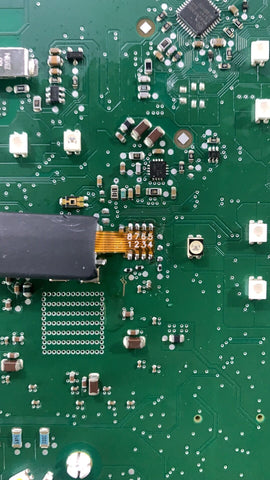
2. Plug the YH35XX programmer into the USB port of the PC, Click "computer" and it will recognize a usb flash drive named 35XX programmer.
3. Click U disk 35XX programmer, Double-click "BMW_ODO_Standard_edition. exe" to open the software.
4. Wait for the prompt: Programmer connection successful,Then run it.
5. Select the EEPROM chip model, i.e 35128 and click "Read DATA+ID", check whether the read mileage is the same as the actual mileage.
6. Click "Save Data File", Save the original data of original EEPROM to the folder.
7. Clip compatible simulator with chip clamp. Pay attention to the direction. Then connect the solder-free clamp to the programmer, connect the programmer to the PC.
8. Select EEPROM model, click "Load Data File", Select the corresponding data of original EEPROM and load it. Check whether the displayed mileage is the same as the mileage displayed in cluster.
9. Once the mileage is confirmed, click "Write DATA+ID", Write the original data into the Simulator.
10. Click "Read Data+ID", read the data written into the Simulator, and check the mileage.
11. After the mileage is confirmed, click "Mileage modification" and input the mileage you want.
12. After confirm the input mileage is correct, click "Write DATA+ID" to write the modified data into the Simulator.
13. After the data is written, click "Read DATA+ID" to check whether the mileage modification is correct
14. If the displayed mileage is the same as what you want, cut off the handle of the Simulator, and solder the Yanhua 35xx Simulator to the original EEPROM position. Pay attention to the EEPROM direction. Install the odometer back to the car to verify whether the mileage modification is successful.


